

In this Admin Guide, we’ll cover YARDOS Estimation Assembly – creating and managing Assembly Types, and defining custom properties and units.
Table of Contents
See also the User Guide for YARDOS Assembly.
YARDOS Estimation Assembly Types
YARDOS Estimation Assembly Types define the different types of Assembly Items that can be created, including the specific properties that can be used in each Assembly Item. Each Assembly Item is created as a specific Assembly Type.
To create and manage Assembly Types, go to System Settings, then the Assembly Types tab.
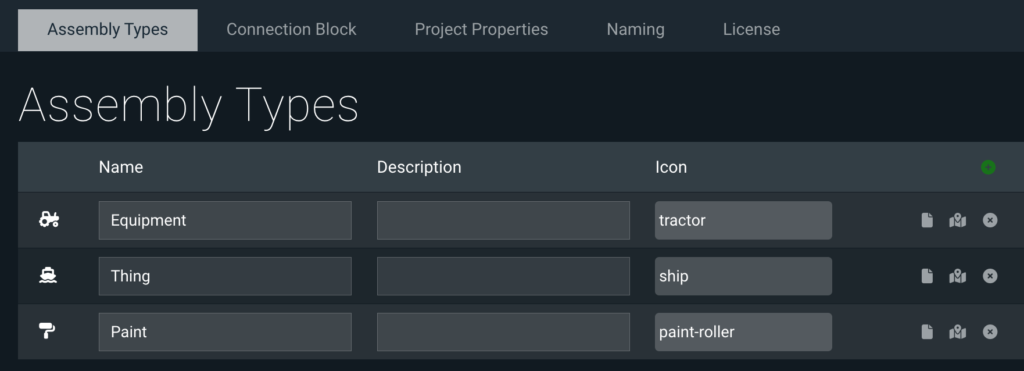
Use the green + sign to add as many Assembly Types as needed, then fill in the fields.
- Name: Name of the Assembly Type
- Description: Short description of the Assembly Type
- Icon: Select a relevant icon from one of the pre-defined icon options
Properties
Click the page icon to manage the custom properties available for each YARDOS Estimation Assembly Type. Assembly Type properties can serve several purposes, like providing information and – within Calculators – helping assemble your estimates.
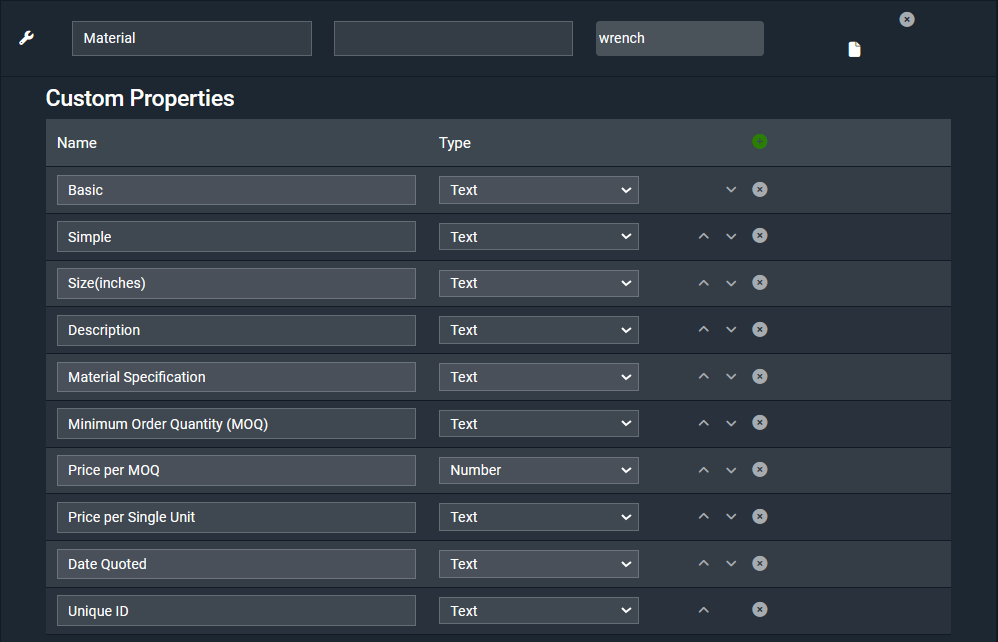
The same property types available in Taxonomies, Project, and Work Item properties are available in Assembly Type Properties.
Units
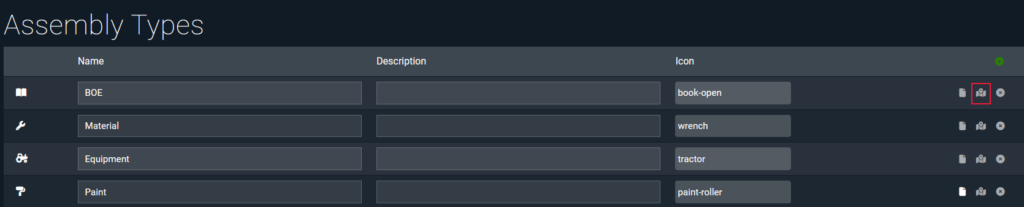
By default, the unit of ea will be defined at the Assembly Type level, and applied to all Assembly Items in that type. To change the unit, click the map icon on the Assembly Type.
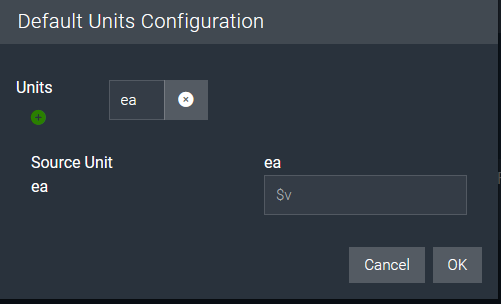
For more information on Units, see the Units Conversion section of the YARDOS Estimation Assembly User Guide.
Learn More
Check out the rest of our Admin Guides to learn more about configuring YARDOS Estimation.
- Configuring YARDOS Estimation Calculators
- Creating and configuring YARDOS Estimation Projects
- Configuring Default YARDOS Estimation Math
- This is a User Guide, but the first section is for Admins, and most of the text is relevant to Admins.
- Copying YARDOS Estimation Projects
- Configuring YARDOS Estimation Rate Cards
- Configuring YARDOS Estimation Structures
- Working with YARDOS Estimation Taxonomies & Flags
- Configuring YARDOS Estimation User Permissions